> ## Documentation Index
> Fetch the complete documentation index at: https://docs.oleria.ai/llms.txt
> Use this file to discover all available pages before exploring further.
# Password age
Identify accounts with stale passwords across your connected applications so you can enforce good password hygiene, reduce breach exposure, and meet compliance requirements. Oleria surfaces last password change data for your on-premises and cloud identity providers (IAMs) and SaaS applications, making it easy to find and act on accounts that haven't rotated credentials in a defined period.
Passwords that have not been changed for an extended period present several risks:
* Unchanged passwords may have been shared, stored insecurely, or become predictable over time, making them easier to compromise.
* Older passwords are more likely to appear in data breach lists, exposing organizations to credential stuffing and brute force attacks.
* Many regulatory standards such as PCI-DSS and HIPAA require regular password rotation. Stale passwords can lead to compliance violations and penalties.
* Stale passwords are common on old, unused accounts. If these accounts go unmonitored, they become a security gap attackers can exploit without detection.
## Supported applications
* Okta
* Microsoft
* AWS IAM and S3
Support for additional applications is in progress.
## How to assess password hygiene
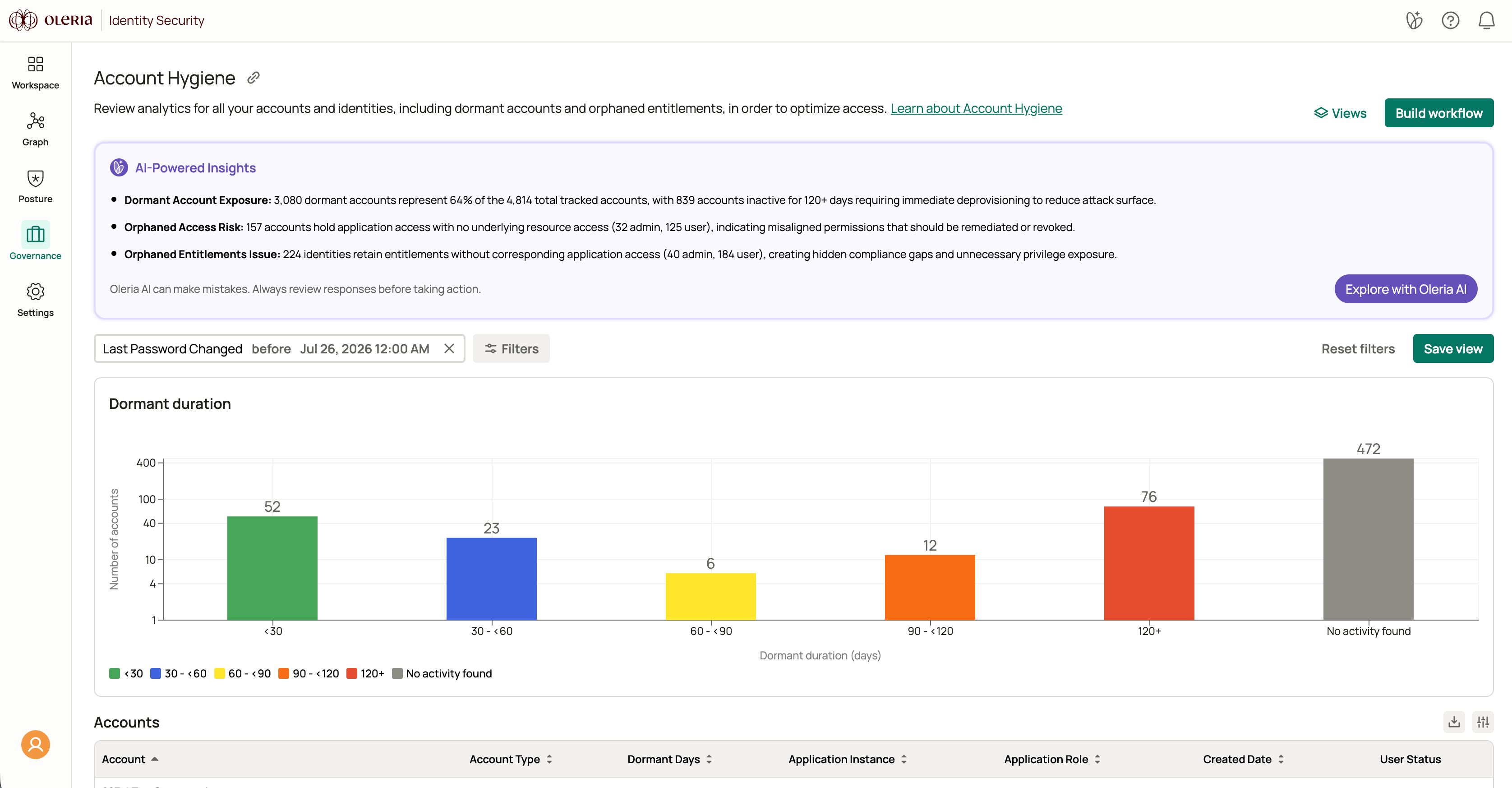
Go to **Governance** → **Account Hygiene**.
Select the **Last Password Changed** filter and choose the **before** operator. Enter a date to surface accounts whose passwords have not been rotated since that date. For example, to find accounts with passwords unchanged for more than 30 days, enter the date 30 days prior to today.
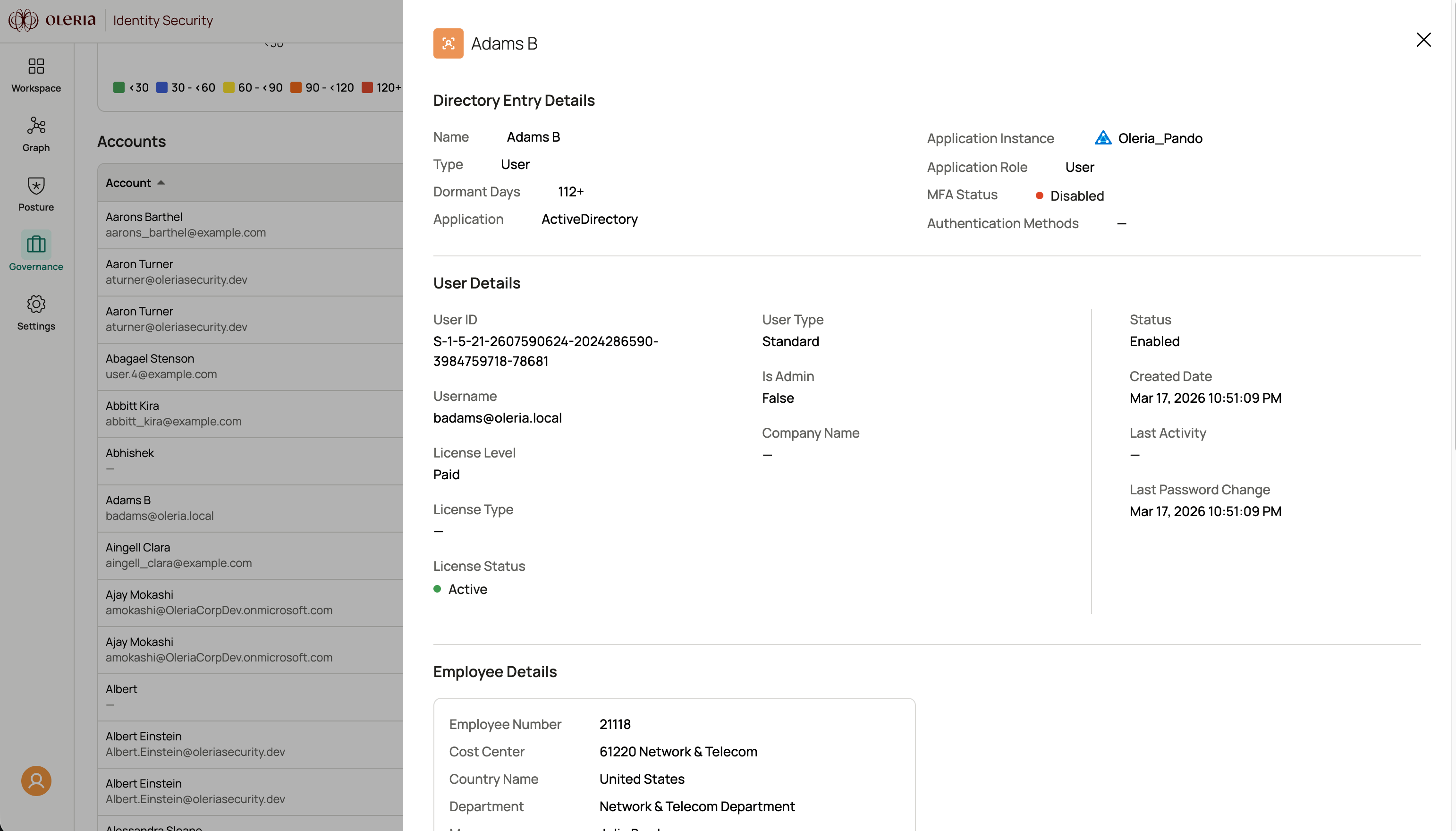
 Select a user to open their side panel and view the exact last password change timestamp.
 ## Contact us
For questions, contact us at [support@oleria.com](mailto:support@oleria.com).
## Contact us
For questions, contact us at [support@oleria.com](mailto:support@oleria.com).