
How the gateway works
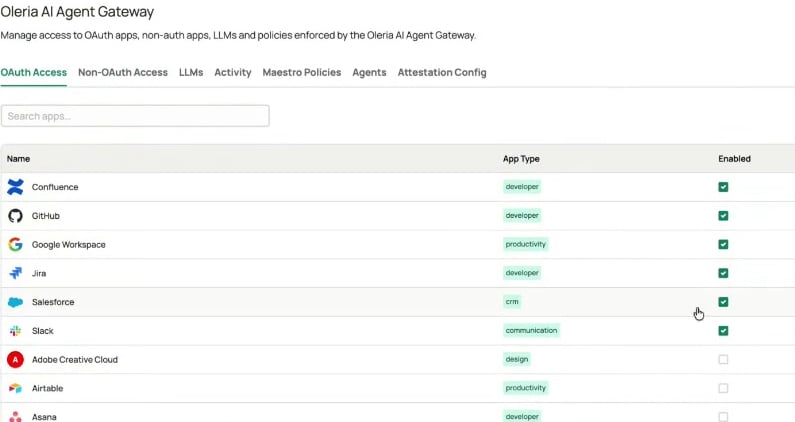
- An administrator enables applications - an Oleria Administrator chooses which applications agents are allowed to reach. Nothing is reachable through the gateway until it’s enabled.
- An administrator sets the policy - for each enabled application, they decide what happens when an agent attempts a high-impact action: allow it, alert on it, hold it for approval, or deny it outright.
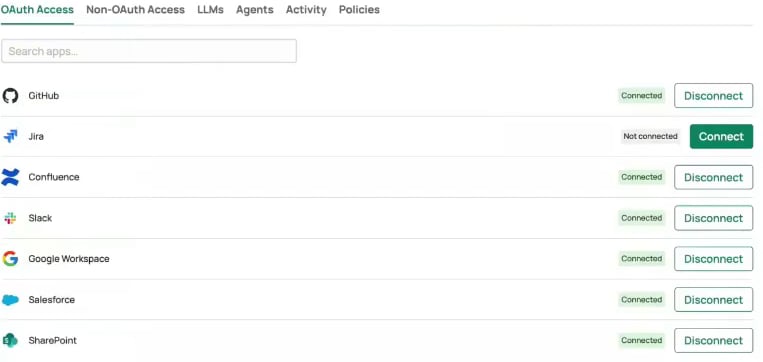
- You connect your applications - you authorize each application once, from the Governance App. Oleria holds the resulting credential; your agent never receives it.
- You connect your AI agent - you add the gateway to your agent as an MCP connector and sign in once.
- Your agent works on your behalf - every call the agent makes runs through the gateway, tied to your identity, with Oleria injecting the credential for the target application.
- Policy is applied to every call - the gateway allows, alerts, holds for approval, or denies each action before it reaches the application.
- Everything is recorded - every call is logged with the agent, session, application, and action, tying each entry back to a person rather than to a shared token.
For OAuth applications, the gateway can’t give an agent more access than you already have. The credential is the one you authorized, so your permissions in the target application still apply, and policy can only narrow them further.Non-OAuth applications work differently. They use a credential supplied by an administrator or application owner rather than one tied to you, so the access it carries is whatever that credential holds. Policy and the audit trail still apply to every call.
What you can connect
The two consoles
The gateway has an administrator surface and an end user surface. They show the same applications from different sides. Administrators work in the Oleria admin portal atyouroleriainstancename.oleria.io, under Governance -> Oleria AI Agent Gateway. This is where applications are enabled and policy is set, for everyone. See Administrator setup.
youroleriainstancename-governance.oleria.io, under AI Agent Gateway. This is where you connect your own applications and see your own activity. See User setup and Connect and use your AI agent.